


OpenSSH Vulnerability 2026: The Alpine Login Bug and the Fix
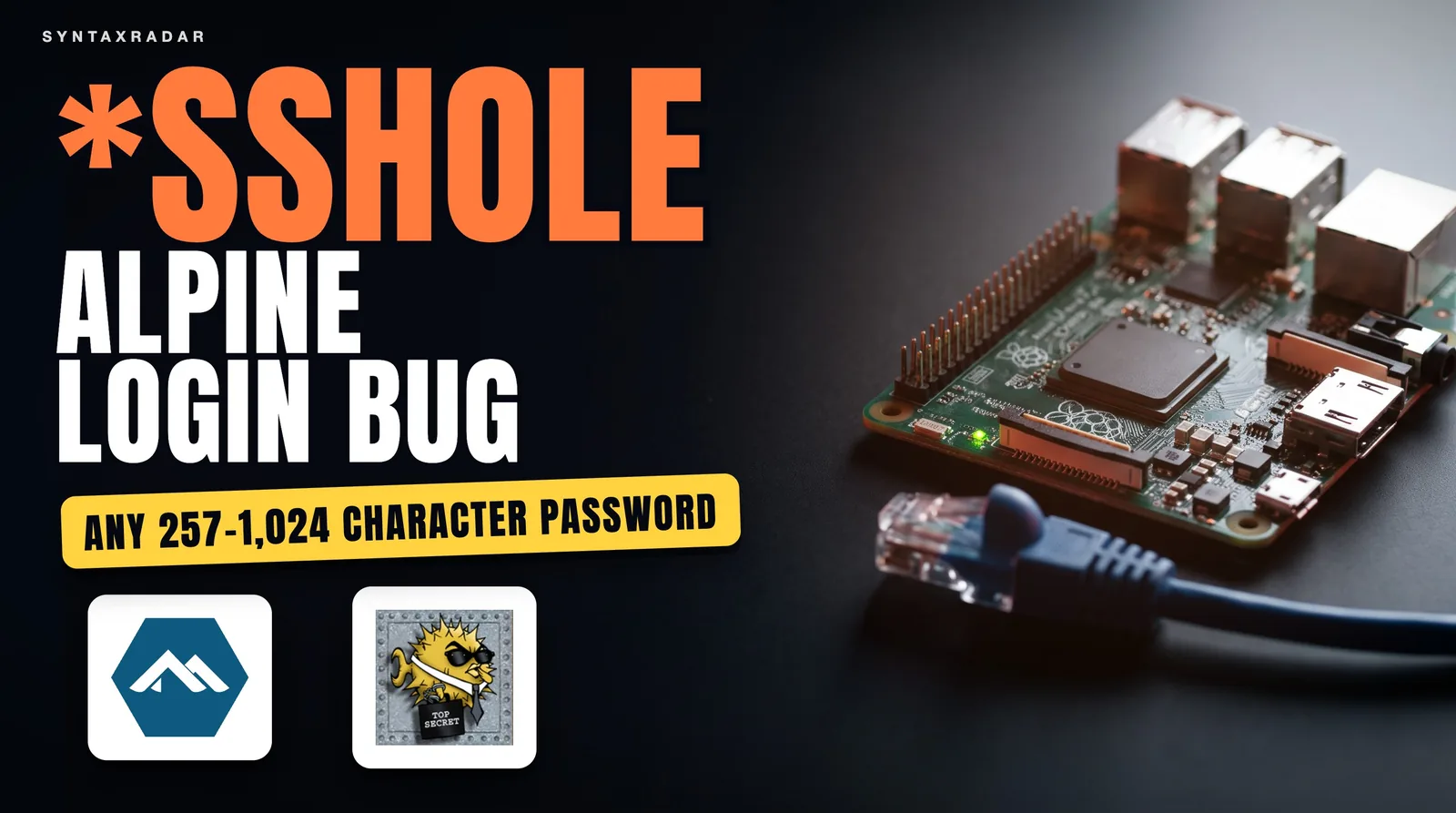
OpenSSH 10.6p2 shipped on November 5, 2026 to work around a password bypass on musl Linux systems without PAM. Alpine says an attacker who can reach the SSH port can log in without a password and patched 10 branches.

Abdul Rehman
Lead Systems Architect and Technical Director · · 8 min read
The short version
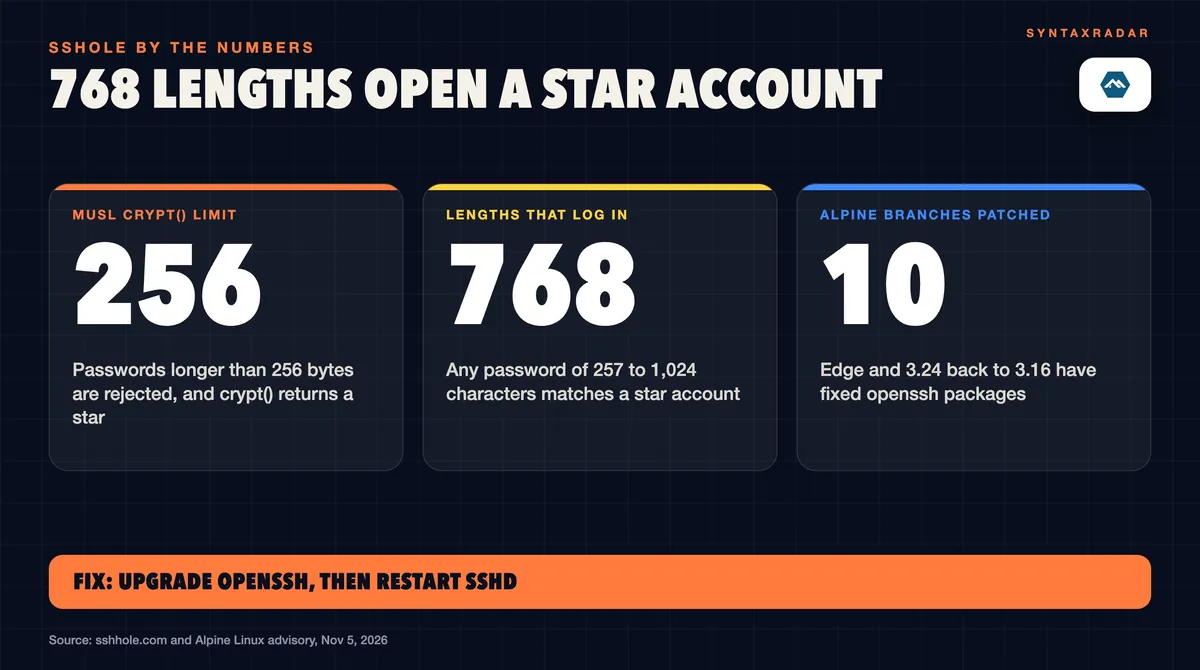
- 768 (257 to 1,024 characters)
- Password lengths that open a '*' account
- 10 (edge and 3.24 back to 3.16)
- Alpine branches patched
- 10.6p2, November 5, 2026
- OpenSSH fix release
Why it matters: If an Alpine or other musl-based machine runs sshd without PAM and allows password logins, upgrade openssh and restart sshd, or set PasswordAuthentication no until you can.
On this page
The OpenSSH vulnerability 2026, nicknamed \sshole by its finder, lets anyone who can reach the SSH port log in to some Alpine Linux SSH servers, and to OpenWrt, Buildroot and Yocto systems, with any password between 257 and 1,024 characters long. You are exposed only if sshd runs on musl libc (a small C library) without PAM (Linux's pluggable login system), password logins are on, an account stores ` as its password, and another account has a real $5$ or $6$ hash. The Alpine fix: run apk upgrade -U -a, then rc-service sshd restart`.
OpenSSH shipped version 10.6p2 on November 5, 2026 with a workaround inside sshd. The OpenSSH release notes describe a password authentication bypass affecting some Linux systems built and run with PAM support disabled, and say the team considers the root cause to sit outside sshd. The Alpine Linux security advisory, also dated November 5, is blunter: an attacker who can reach the SSH port can log in without a password.
Alpine's advisory says no CVE had been assigned when it was written, and neither OpenSSH, Alpine nor the researcher names one. The bug was reported by Ozgun Kultekin of Wakefield, whose write-up on sshhole.com describes about 17,600 test logins across glibc, musl, PAM, no-PAM, shadow and no-shadow builds. Every build behaved the same except one: musl without PAM.
What is sshole?
Sshole is the researcher's name for an openssh password bypass that only appears when three decisions, made years apart, line up on one machine. Each step below comes from the timeline on sshhole.com.
1980: a star means "no password here"
In 1980, 3BSD gave its daemon account * in the password field. That convention stuck, and * still marks accounts that are not meant to log in with a password at all, such as key-only users, directory (LDAP) users and, on Alpine, root.
2012: musl's crypt() and the 256-byte limit
In August 2012, commits to musl (a small C library used by Alpine, OpenWrt and other embedded Linux builds) changed crypt() to return * or x when it fails, instead of NULL (an empty "nothing here" value). crypt() is the function that turns a typed password into the hash stored on disk. The same commits added SHA-256 and SHA-512 crypt with a hard limit: keys, meaning passwords, longer than 256 bytes are rejected.
Put those together, as the write-up does. A password over 256 bytes makes musl's crypt() fail, and the failure value it returns is *. That is the same character an account like root on Alpine stores, so the comparison matches and sshd accepts the login. The write-up puts the working range at 257 to 1,024 characters.
Alpine lists one more condition: another local account must have a real $5$ or $6$ hash (SHA-256 or SHA-512 crypt). Neither source explains in plain terms why that matters, so we will not guess.
2022: Alpine gives root a star
In 2019, an Alpine Docker image flaw that left root with no password was fixed by setting root's field to !, a locked account. In 2022, Alpine 3.16 changed root from ! to *. Locked ! accounts are not exposed to this bug; * accounts are. That one-character change put the risky marker on root in the Alpine base image.
If you manage a mixed Linux fleet, our explainer on the Linux kernel vulnerability CVE-2026-98432 covers how to tell whether a kernel flaw reaches your machines, a separate question from the sshd checks below.
Is my Alpine server affected?
Your Alpine server is affected only when all four of these hold, according to the Alpine advisory and sshhole.com:
- sshd runs on musl without PAM. The write-up names Alpine, OpenWrt, Buildroot and Yocto as the affected platforms. On Alpine, the openssh-server-pam package with UsePAM yes is outside the bug.
- Password logins are on. PasswordAuthentication is yes, which is the default.
- *An account stores `
.** Root on Alpine, key-only users, directory users, or thealpine` user in tiny-cloud images. - Another local account has a `$5$` or `$6$` hash.
Alpine names the affected releases as 3.21 through 3.24 and edge, plus the older 3.16 to 3.20. Root has been in the base image with * since about 3.16, but the advisory says Alpine Linux root login over SSH is possible only when PermitRootLogin is set to yes.
Alpine Linux cloud images and the doas shortcut
Cloud images are where this Alpine Linux vulnerability goes furthest. Per the advisory, tiny-cloud images from 3.18.11 through 3.24.3 ship an alpine user with a * password and passwordless doas (a small sudo-style tool for running commands as root). sshhole.com says the default Alpine AWS and Azure images let that user become root through doas. Alpine fixed this in images built from 3.21.10, 3.22.8, 3.23.8, 3.24.4 and later, and cloud-init images that set PasswordAuthentication no are not exposed.
OpenWrt routers and small boards are easy to forget when patches ship. Our explainer on what botnets are uses 1.3 million Android TV boxes to show how devices end up in one.
Does glibc or PAM protect me?
Yes. The write-up lists glibc, PAM, Dropbear and OpenBSD as not affected, and its roughly 17,600 test logins found the bypass only in musl builds without PAM. If your server runs a glibc distribution, this one does not touch you.
Alpine's list of setups that are safe is more specific:
- PasswordAuthentication no in the sshd config.
- The openssh-server-pam package with UsePAM yes.
- Accounts locked with
!instead of*. - No accounts with
$-style hashes at all. - Cloud-init images that set PasswordAuthentication no.
The sources do not discuss Docker containers directly. Our reading is that a container matters only if it runs sshd and meets the same four conditions. One caveat from the OpenSSH notes: the project patched sshd but places the root cause elsewhere, and the write-up traces it to the musl crypt() behaviour described above.
How do I fix the OpenSSH password bypass?
Upgrade the openssh package and restart the daemon. The restart matters: the Alpine advisory warns that upgrading the package alone does not replace the running sshd. On Alpine Linux, the advisory gives these commands for the upgrade and the sshd restart:
apk upgrade -U -a
rc-service sshd restart
The write-up also gives the shorter apk upgrade openssh. Either way, restart sshd afterwards.
Alpine Linux sshd versions with the fix
Alpine patched 10 branches, from edge back to 3.16. These are the fixed openssh package versions from the advisory:
How to fix the OpenSSH vulnerability without upgrading
Turn password logins off. The advisory's workaround is to set PasswordAuthentication no in a drop-in file under /etc/ssh/sshd_config.d/, test the config, restart, and confirm the running value:
The line for the drop-in file:
PasswordAuthentication noThen test, restart and check:
sshd -t && rc-service sshd restart
sshd -T | grep -i passwordauthentication
The last command is read-only and shows the setting sshd is actually using. Check you have a working SSH key before you do this, or you may lock yourself out.
How to check whether the SSH password bypass was used on your server
To look for a past break-in, search /var/log/messages for "Accepted password for" lines on accounts that have no password. A key-only user or root appearing there is a red flag. This check is our suggestion, not a quoted step from the advisory.
For fleets, a community tool called sshole-audit offers a probe, a fleet scanner and a dry-run fix script. Its README says all three are read-only and uses exit code 0 for nothing vulnerable, 1 for vulnerable, 2 for a usage error and 3 for a host it could not probe. It is a single community repository, so read the script before you run it on production. If you do find a login you cannot explain, our guide to the Claude Code extension VSCode backdoor shows the same check-and-clean approach applied to a different compromise.

SyntaxRadar calculation: how long the door was open
We worked these numbers out from the dates and ranges in the sources. The inputs are shown so you can check them; the results are our own arithmetic.
Two points stand out. On a machine that meets all four conditions, the write-up says any password in the 768-length window works, so the attacker needs no stolen credential. And the 14-year figure is the age of the musl behaviour; the 4-year figure is how long root in the default Alpine base image has carried the * (and root is reachable only with PermitRootLogin yes). None of the sources gives a count of affected hosts.
OpenSSH vulnerability 2026: what to watch next
The patch is out, but four threads are still open for Alpine Linux security teams and everyone else running musl:
- A CVE number. As of November 6, 2026 none of the three primary sources names one.
- Other musl platforms. OpenWrt, Buildroot and Yocto are named as affected, but our sources give no vendor fix list for them. Watch each project's own advisory.
- Cloud image rebuilds. Anything launched from a tiny-cloud image between 3.18.11 and 3.24.3 keeps its
alpineuser until someone fixes it, even after newer images ship. - Faster OpenSSH releases. The 10.6p2 notes say the team is receiving many AI-assisted security reports and will release more often instead of batching fixes. Our report on AI for hacking covers the other side of that trend, where attackers use the same tools.
In code
apk upgrade -U -a
rc-service sshd restartsshd -t && rc-service sshd restart
sshd -T | grep -i passwordauthenticationQuestions readers ask
What is sshole?
Sshole is researcher Ozgun Kultekin's name for an OpenSSH password bypass on musl Linux without PAM. musl's crypt() returns '*' when it fails and rejects passwords over 256 bytes, so a long password fails into the same '*' that marks key-only, directory and Alpine root accounts. sshd then accepts any password from 257 to 1,024 characters for those accounts.
Is my Alpine server affected?
Only if sshd runs without PAM, PasswordAuthentication is yes (the default), an account stores '*' (root, key-only users, directory users or the tiny-cloud 'alpine' user) and another account has a $5$ or $6$ hash. Alpine names 3.21 through 3.24, edge and the older 3.16 to 3.20 as affected. Root is reachable only with PermitRootLogin yes.
How do I fix the OpenSSH password bypass?
On Alpine, run apk upgrade -U -a and then rc-service sshd restart. The Alpine advisory stresses the restart, because upgrading the package does not replace the running daemon. On edge the fixed package is openssh 10.6_p2-r0. If you cannot upgrade, set PasswordAuthentication no in a drop-in under /etc/ssh/sshd_config.d/ and restart sshd.
Does glibc or PAM protect me?
Yes. The sshhole.com write-up lists glibc, PAM, Dropbear and OpenBSD as not affected, and its roughly 17,600 test logins found the bypass only in musl builds without PAM. Alpine adds that openssh-server-pam with UsePAM yes, PasswordAuthentication no, and accounts locked with '!' instead of '*' are also safe.
Sources
Written by
Abdul Rehman
Lead Systems Architect and Technical Director at Syntaxradar. More in Systems.
Keep reading

Linux Kernel Vulnerability CVE-2026-98432: Are You Exposed?
CVE-2026-98432, a use-after-free in how Linux handles IPv4 options during the TCP handshake, was published on October 15. The kernel CNA and Red Hat score it 9.8 Critical. Fixed…
Nov 2, 2026 · 6 min read

What Are Botnets? How 1.3 Million Android TV Boxes Became One
Google and partners dismantled XCPE, a botnet that Google says TV box maker Videostrong preloaded on more than 1.3 million set-top boxes to sell proxy access and run ad fraud.…
Nov 4, 2026 · 8 min read
Postgres 19 Release Date: Why AI Bug Hunters Pushed It Back
PostgreSQL committer Robert Haas says Postgres 19 will most likely ship in November, not the usual mid-September to mid-October window, because people using LLMs are reporting far…
Nov 3, 2026 · 7 min read
More in Systems
See all
Outlook DMARC Requirements: Why Your Email Is Suddenly Bouncing
Since November 5, 2026, Outlook.com, Hotmail, Live and MSN have been rejecting some mail from domains with no DMARC record, per MailRoute. Microsoft has not confirmed it; its…
Nov 9, 2026 · 6 min read

Apple Knowledge Graph: What Your Mac Learns About Your Family
An 8rank.ai write-up dated October 28, 2026 found macOS builds an on-device knowledge graph in 51 plaintext SQLite databases, with two classifiers scoring which contacts are…
Nov 9, 2026 · 8 min read

Supermarket Fridges Hacked: How Freezers Were Set to 50C
On October 11 to 12, 2026, attackers reached internet-exposed refrigeration controllers in about 700 French supermarkets and, per reports, apparently forced a 50C defrost. In…
Nov 8, 2026 · 8 min read
Latest stories
Front page
Megaspeed: The Nvidia Buyer in the Reported DOJ Chip Probe
Abdul Rehman · Nov 10, 2026 · 8 min read

Starship Flight 15: The Nov 13 Target and First Ship Catch
Abdul Rehman · Nov 10, 2026 · 6 min read

Claude Fable 5.2: $8 Price, Fast Mode and Whether to Switch
Abdul Rehman · Nov 10, 2026 · 7 min read

Googlebook OS Update: November Patch Frees Up to 6GB of RAM
Abdul Rehman · Nov 9, 2026 · 6 min read